

How to Download Pregnancy Platform Progress Reports

Índice
- Top pregnancy tracking apps with downloadable progress reports
- 1. Pregnancy Tracker by MWM
- 2. The Journey app
- 3. Pregnancy Tracker by Sprout
- 4. Pregnancy and Due Date Tracker by Wachanga
- 5. Babyscripts
- 6. My Pregnancy Notes
- 7. Bloom
- How to use pregnancy progress reports effectively
- Common questions about pregnancy tracking apps and reports
- How to find and download your pregnancy progress or doctor report
- Boy or Girl offers personalized pregnancy support beyond tracking
- Key Takeaways
- Recommended
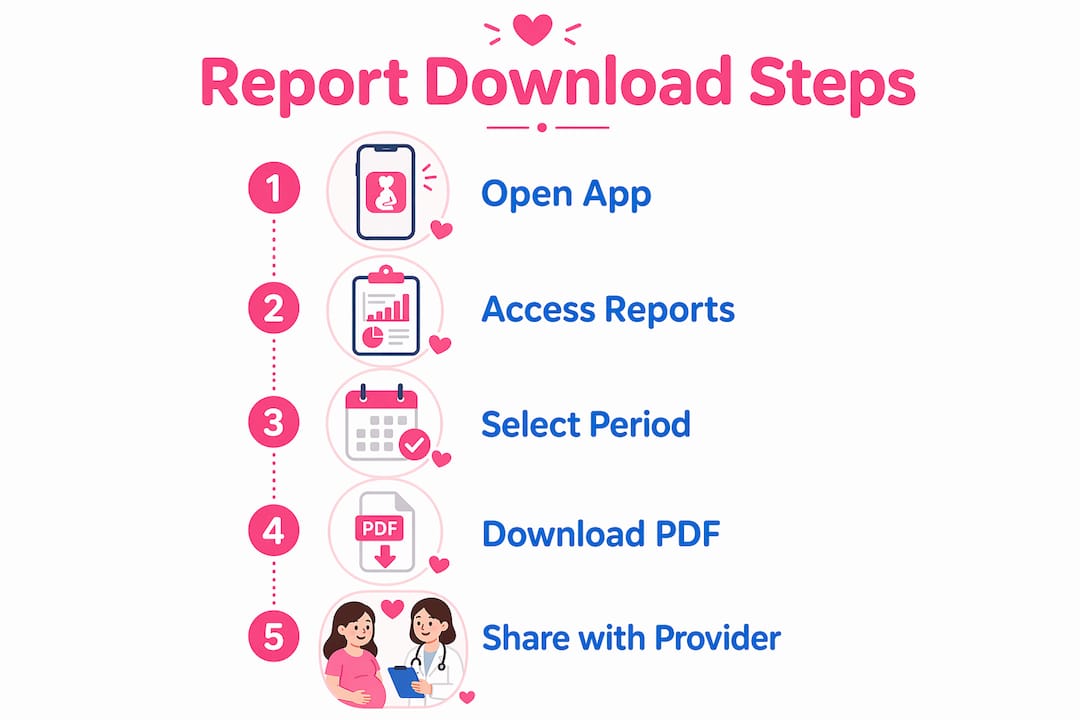
Most pregnancy tracking apps let you download progress reports in three steps: open the app, find the Doctor Report or report feature, and export your data as a PDF. You can then email that file to your provider or pull it up directly on your phone at your next appointment. Apps like Pregnancy Tracker by MWM and The Journey make this especially straightforward, with dedicated report sections that compile everything in one place.
Here is what the process typically looks like:
- Find the report feature. Look for “Doctor Report,” “Health Summary,” or a similar label in the app’s main menu or settings.
- Choose your data range. Select the timeframe and data types you want included: symptoms, weight logs, vital signs, contraction records, or fetal movement counts.
- Export as a PDF. Most apps convert your entries into a formatted PDF you can save, share by email, or show on-device.
- Share before your appointment. Sending the report ahead of time gives your provider a chance to review trends before you walk in the door.
Top pregnancy tracking apps with downloadable progress reports
The best apps for generating and sharing prenatal progress updates go well beyond a simple log. Each one takes a different approach to what it tracks and how it presents that data.
1. Pregnancy Tracker by MWM
The Doctor Report feature in Pregnancy Tracker by MWM compiles all your tracking data, weight, blood pressure, tummy growth, baby movements, and contractions, into a single PDF ready to share with your provider. You can save it to your phone or send it by email before an appointment. The app also includes a smart gestational age calculator trusted by medical professionals for day-accurate fetal and obstetric dating.
2. The Journey app
The Journey focuses on vital signs monitoring and transmits health data to providers in real time. It tracks blood pressure and heart rate using your phone camera, sends immediate alerts if readings fall outside a safe range, and generates graphic visualizations so you and your provider can spot trends at a glance. The free version includes personalized vitals tracking, blood pressure notifications, weekly wellness check-ins, and access to Aria, a personal virtual doula available around the clock.
3. Pregnancy Tracker by Sprout
Pregnancy Tracker by Sprout offers week-by-week development updates alongside health logging tools. Expectant mothers can track symptoms, weight, and mood, then compile that data into a shareable report for prenatal visits. The app’s visual timeline of fetal development is a standout feature for parents who want context alongside their health numbers.
4. Pregnancy and Due Date Tracker by Wachanga
Wachanga’s app covers blood pressure, fetal movements, contractions, weight, and pregnancy milestones, then converts all of it into a PDF report you can send by email or show directly from your phone. It also includes a contraction counter that distinguishes real contractions from practice ones, Kegel exercise guidance, and synchronization with the Apple Health app.
5. Babyscripts
Babyscripts operates at the clinical level. Its myJourney app connects patients to a maternity care program that uses customizable, risk-based triggers to alert the appropriate care team member when a patient’s survey responses indicate concern. It also generates perinatal mental health data reports for tracking population health and measuring program outcomes, making it a tool for healthcare systems rather than individual consumer use.
6. My Pregnancy Notes
My Pregnancy Notes is a clinical digital maternity portal that replaces paper notes with a secure online record. Clinicians document appointments directly in the system, and those notes become visible to patients automatically. No manual upload is needed. This is a provider-integrated platform, not a consumer tracking app, and the records it holds are clinically verified rather than self-reported.
7. Bloom
Bloom adjusts health metric interpretations based on your pre-pregnancy baseline, not a generic population average. Resting heart rate, HRV, sleep, and blood pressure are all read against your personal starting point and updated week by week as your pregnancy progresses. Fetal movement sessions are saved with timestamps for easy sharing at appointments, and biometric data flows in automatically from Apple Watch, Oura, Garmin, and other wearables via HealthKit.
How to use pregnancy progress reports effectively
Knowing what your report contains makes it far more useful in a clinical conversation. Most consumer app reports include:
- Symptom logs: nausea, fatigue, headaches, and mood entries recorded daily
- Vital signs: blood pressure readings, heart rate, and blood glucose where tracked
- Weight trends: logged weights plotted over time to show gain patterns
- Fetal movement counts: kick counter sessions with timestamps
- Appointment and test reminders: calendar entries and checklist completions
One distinction worth understanding: consumer app reports are user-logged summaries, while clinical portals like My Pregnancy Notes hold provider-verified records integrated into hospital systems. Both are valuable, but they serve different purposes. Your app report reflects what you observed and recorded; your clinical record reflects what your care team documented.
Visual trend charts in a report communicate far more than a column of raw numbers during a short appointment. Providers can scan a blood pressure graph in seconds and identify a pattern that might take minutes to spot in a spreadsheet.
Pro Tip: Share your PDF report with your provider at least 24 hours before your appointment. That gives them time to flag anything worth discussing, so your visit stays focused on what actually matters.
Context-aware tracking takes this a step further by personalizing the ranges used to interpret your data. Rather than comparing your heart rate to a broad population average, apps built on this approach calculate what is normal for you specifically, based on where you started before pregnancy.
Pregnancy week labeling in reports follows a specific convention: weeks are counted from the first day of your last menstrual period, which means a report showing “4 weeks pregnant” reflects roughly two weeks of actual fetal development. Knowing this prevents confusion when comparing app milestones to what your provider tells you.
Common questions about pregnancy tracking apps and reports
Which apps generate downloadable reports? Pregnancy Tracker by MWM, Pregnancy and Due Date Tracker by Wachanga, and The Journey all produce shareable reports. Babyscripts and My Pregnancy Notes operate at the clinical level with provider-integrated records.
Are these apps free? Most offer a free core version. The Journey’s free tier includes vitals tracking, blood pressure alerts, and weekly check-ins. Premium features vary by app.
Do app reports count as medical records? No. Consumer app reports are self-logged summaries. Clinical portals like My Pregnancy Notes hold provider-verified records that are part of your official maternity file.
How do I make my report as useful as possible? Log consistently and honestly. A report with gaps or skipped days gives your provider an incomplete picture. Daily entries, even brief ones, build the trend data that makes the report worth reviewing.
How to find and download your pregnancy progress or doctor report
Every app places this feature slightly differently, but the path is usually short. In Pregnancy Tracker by MWM, look for “Doctor Report” in the main navigation. In Wachanga’s app, the report option sits within the health tracking section and exports directly to PDF. The Journey surfaces your health trends through graphic visualizations you can share from within the app.
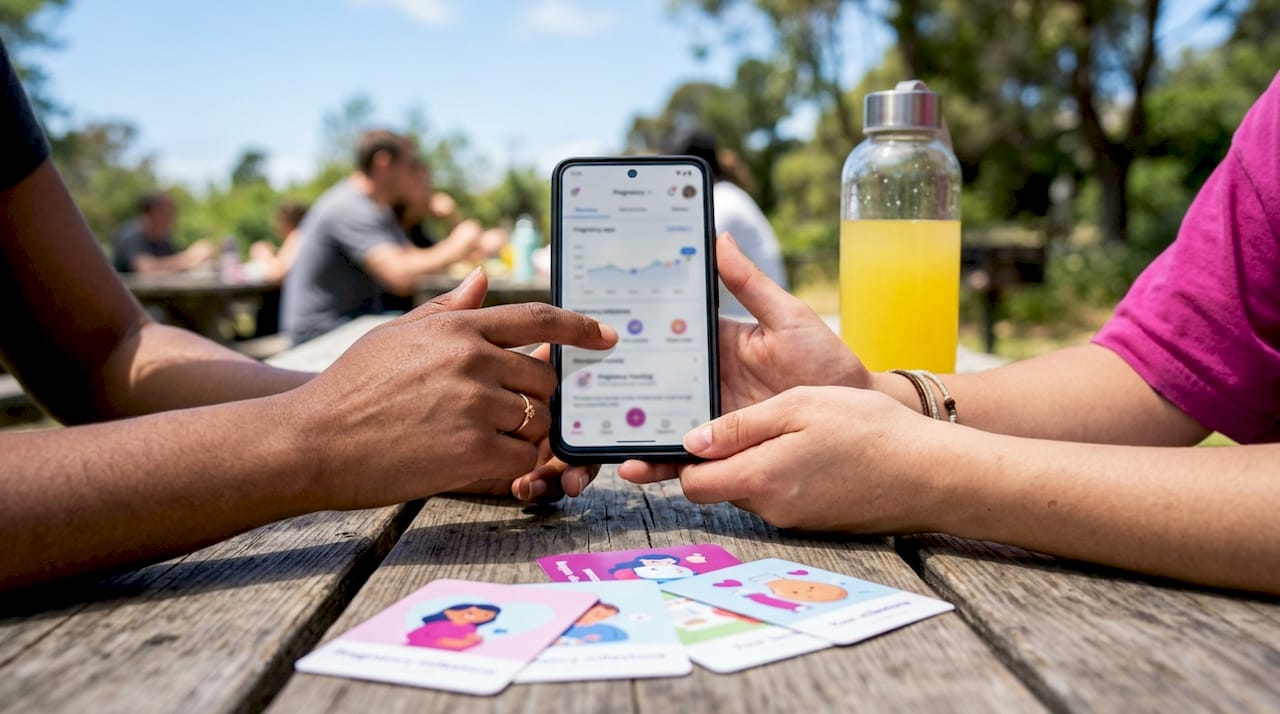
If you use a clinical portal like My Pregnancy Notes, your provider documents notes automatically after each appointment, and you access them by logging into the platform at mypregnancynotes.com. No download action is needed on your part; the records update as your care team adds them.
Boy or Girl offers personalized pregnancy support beyond tracking
Pregnancy tracking apps cover the data side of prenatal care well. Boy or Girl takes a different approach, pairing milestone awareness with expert consultations, personalized diet guidance, and a community of expectant mothers who are going through the same experience at the same time.
Where tracking apps give you numbers and charts, Boy or Girl gives you context, care, and connection. The platform’s XY chromosomal prediction method adds a layer of personalized insight that goes beyond standard health logging, backed by expert consultation rather than algorithm alone. If you want support that feels as warm as it is informed, Boy or Girl is worth exploring alongside your tracking app of choice.
Key Takeaways
Downloading pregnancy progress reports works best when you log consistently, understand what your report contains, and share it with your provider before each appointment.
Visita nuestras redes sociales
| Point | Details |
|---|---|
| Export format | Most apps compile tracking data into a PDF you can email or show on-device. |
| Report contents | Typical reports include symptoms, vital signs, weight trends, and fetal movement logs. |
| Consumer vs. clinical | App reports are self-logged; clinical portals like My Pregnancy Notes hold provider-verified records. |
| Context-aware tracking | Apps like Bloom adjust health ranges to your personal pre-pregnancy baseline, not population averages. |
| Boy or Girl | Pairs expert consultations and community support with pregnancy milestone tracking for a fuller picture. |
Recommended
Why Pregnancy Trimesters Are Divided: A Clear Medical Guide

Pregnancy Budget Planning Checklist for Expectant Parents

What Is a Pregnancy Coaching Platform? Your Guide

Male Partner Role in Pregnancy Community: 2026 Guide

Track Pregnancy Milestones With a Platform Dashboard

Why Maternal Instinct Gender Prediction Works